
Entering an Address Using Google Address URL
This is a new feature as of version 2.4.8 of MapifyPro. It allows you to enter a specific address (using a Google address url) to provide directions to a specific location that may be different than that supplied by Google's geolocation coordinates. This is useful in the following instances:
-If your location does not have a physical address, IE if it is off road, on a mountain, etc. and you want to provide directions to the nearest hotel or other location.
-If Google is not providing adequate default directions by their coordinates.
To do so, you'll find this setting in the MapifyPro > Map Locations > [specific location]. Navigate to the lower portion of that page, and you'll see the following field:
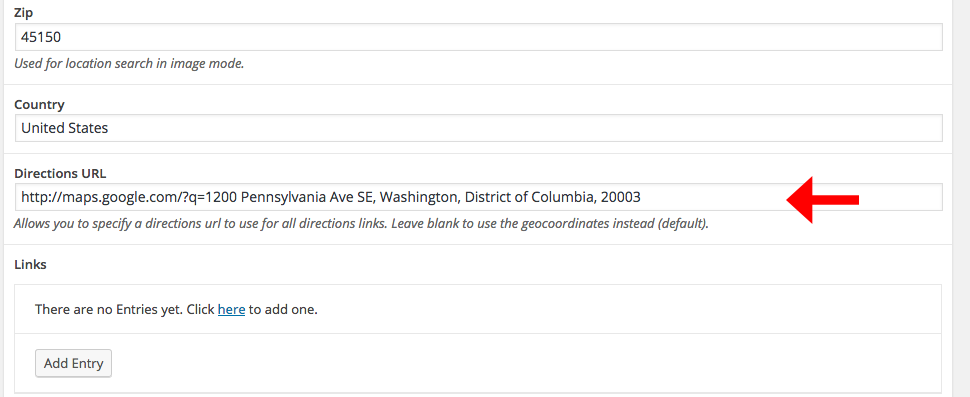
How to Generate an Address URL
It's very easy, simply add the following URL before your address, and format it exactly as shown below. Google will handle the rest:
http://maps.google.com/?q=1200 Pennsylvania Ave SE, Washington, District of Columbia, 20003
Now, when a visitor clicks the directions button (either in the tooltip or in the pop-up) they will be taken to this address where they can then get directions. Yay!