
Installing MapifyPro
-
Log in to your WordPress admin.
-
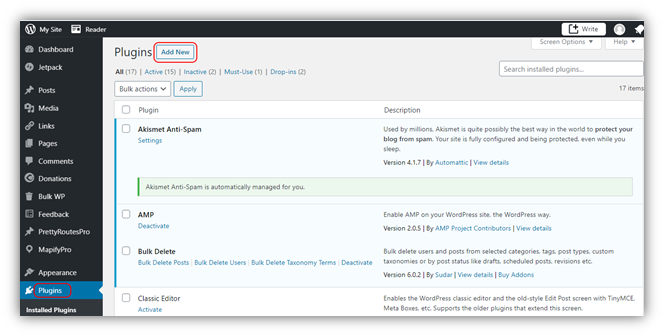
Navigate to Pluginsthen choose Add New.
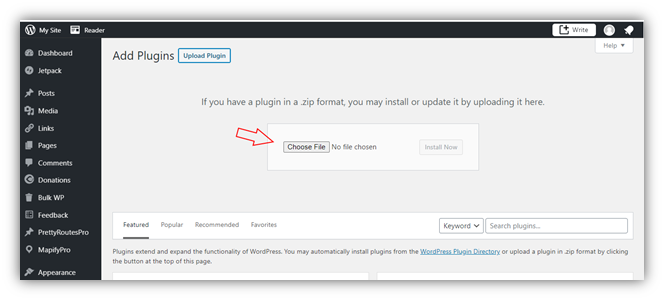
- Click on Upload Pluginthen click 'Choose File' and browse and locate the mapifypro_master.zipfile which can be downloaded after purchasing MapifyPro. The file can also be downloaded from here: My Account – MapifyPro.
-
After the plugin uploads, select the Activate Plugin option.
-
Once you’ve successfully installed the plugin, you are now ready to activate your API Key.
-
The API Key can be found on this link.
Activating the API Key
Click here for the API Key activation guide.