
Reason
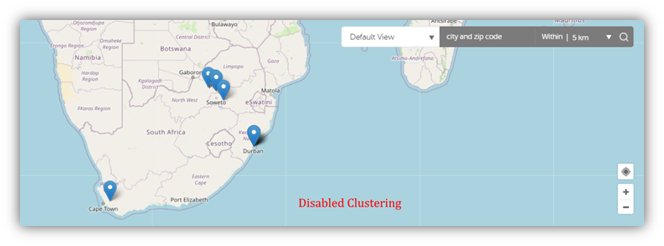
Map pins pile one upon another if Clustering on the map settings is not enabled. This makes the Map difficult to look at due to the Map locations are all being grouped together.
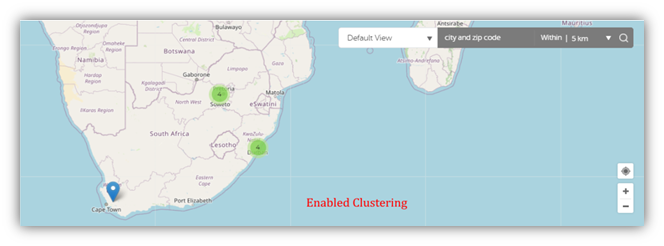
The first image below shows how the Map pins would appear if Clustering is disabled, whereas the second image shows how pins would clearly lay out the locations once Clustering is enabled.
Resolution
Enabling Clustering on the map settings can fix the issue. It also helps site visitors distinguish easily when they have locations that are close to each other.
How to Enable Clustering on Maps
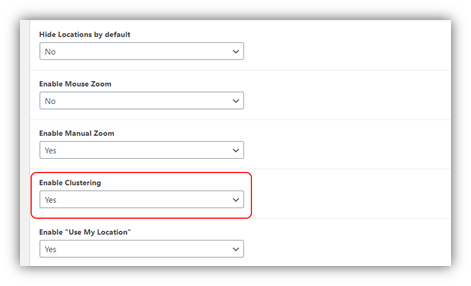
Navigate to MapifyPro > Maps. Click Edit on the required Map. In the 'Basic Settings' section, scroll down to the Enable Clusteringdrop-down box, and set this to 'Yes'.
Click on 'Update' to save your changes.