
API Key Activation
- Log onto your wp-admin site.
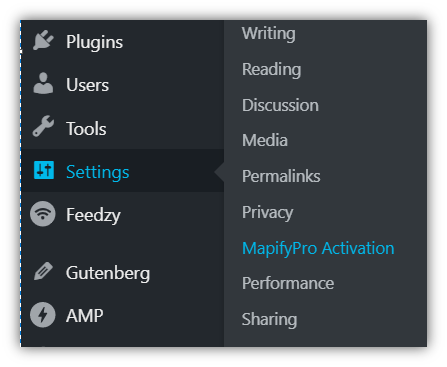
- Navigate to Settings > MapifyPro Activation.
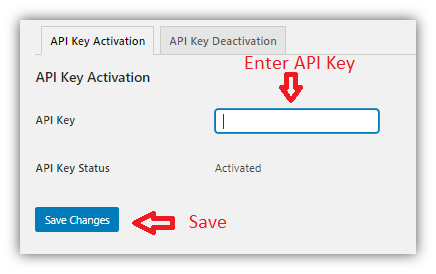
- Enter your API activation key in the 'API Key' field.
- Click on 'Save Changes.'
NOTE: MapifyPro uses OpenStreetMap for our maps and therefore no Google API key is required.